
Website & app
Getting your TITANVERSE services ready
To build your PharmAppy website and/or white-label app, we connect directly to your TITANVERSE account. Services, booking journeys, and availability are pulled from TITANVERSE. What you configure there is what patients see.
Before development can begin
Ensure every service you want on your website or app is fully configured in TITANVERSE. Incomplete setup means services may not appear correctly, or patients may be unable to book.
Show the service on the Public Calendar
In TITANVERSE, make sure each service you want patients to book is visible on the Public Calendar.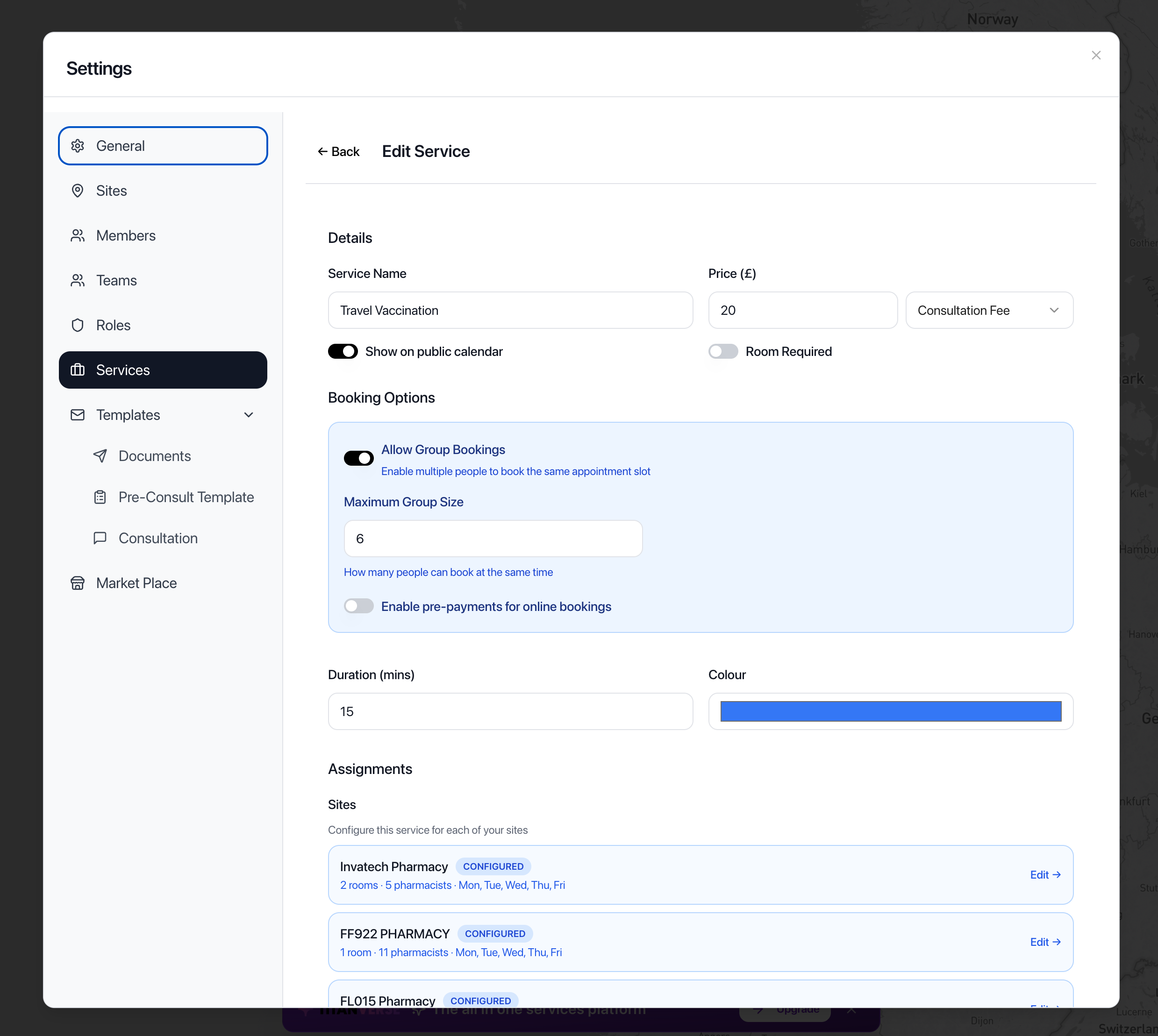
Public Calendar enabled for the service Assign the service to at least one pharmacy
Each service must be assigned to at least one pharmacy location so PharmAppy can offer it for that site.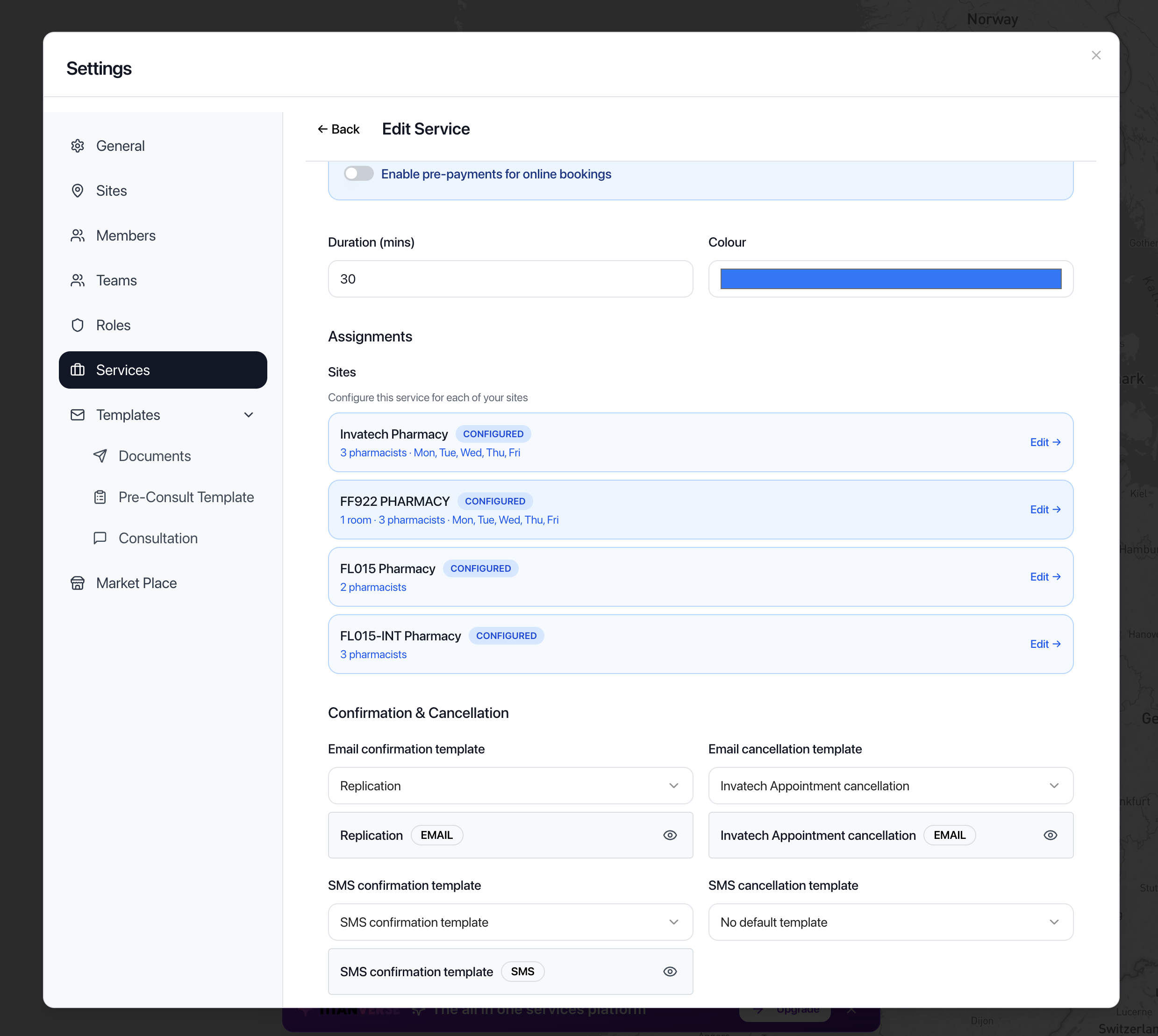
Pharmacies assigned to the service Assign the service to at least one consultation room
Link each service to at least one consultation room used for appointments.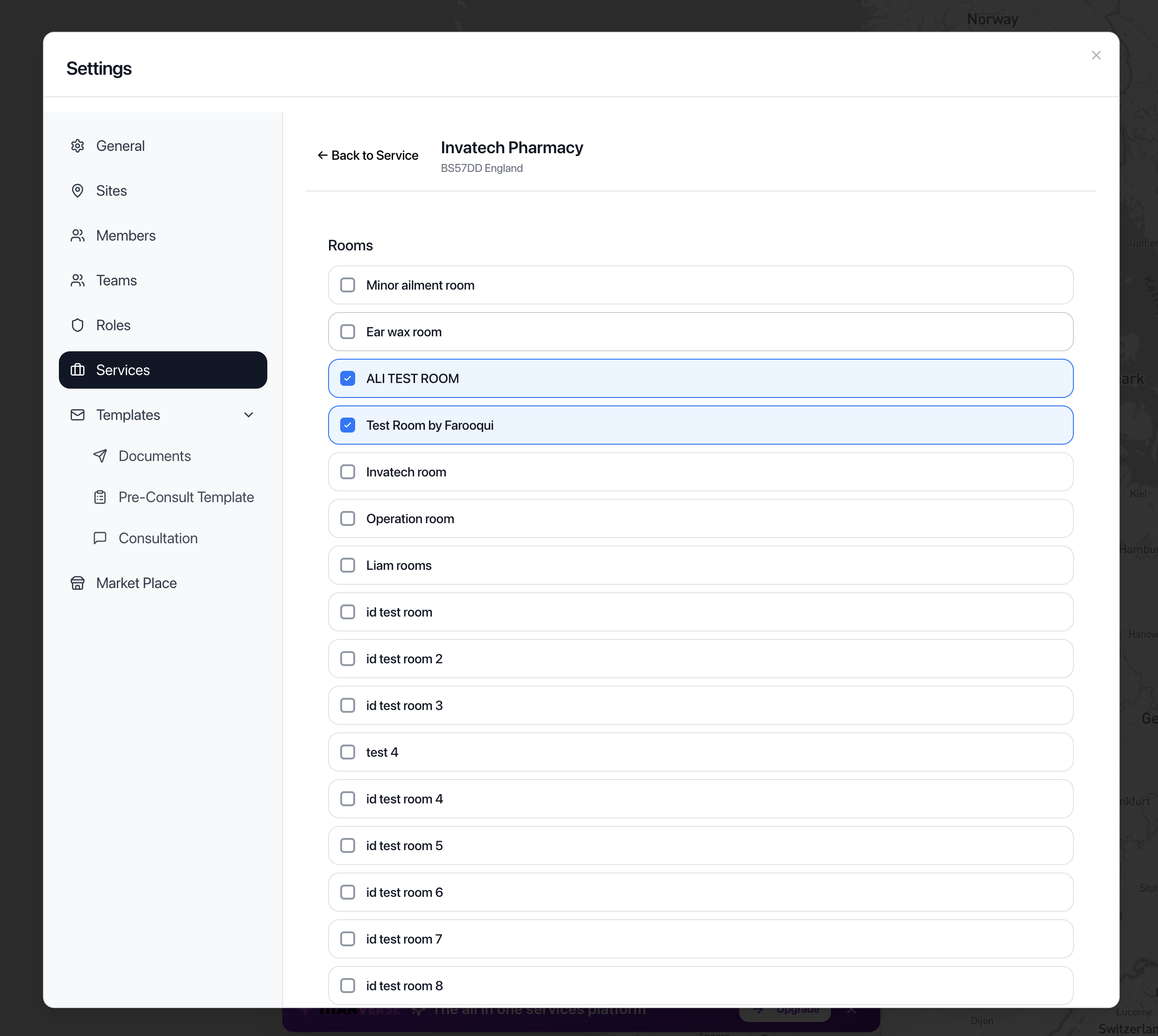
Consultation rooms assigned to the service Assign the service to at least one pharmacist
Assign at least one pharmacist who can deliver the service. Without a pharmacist, patients cannot book.Configure Available Hours for the service
Set booking availability on the service itself so patients have open slots to choose from.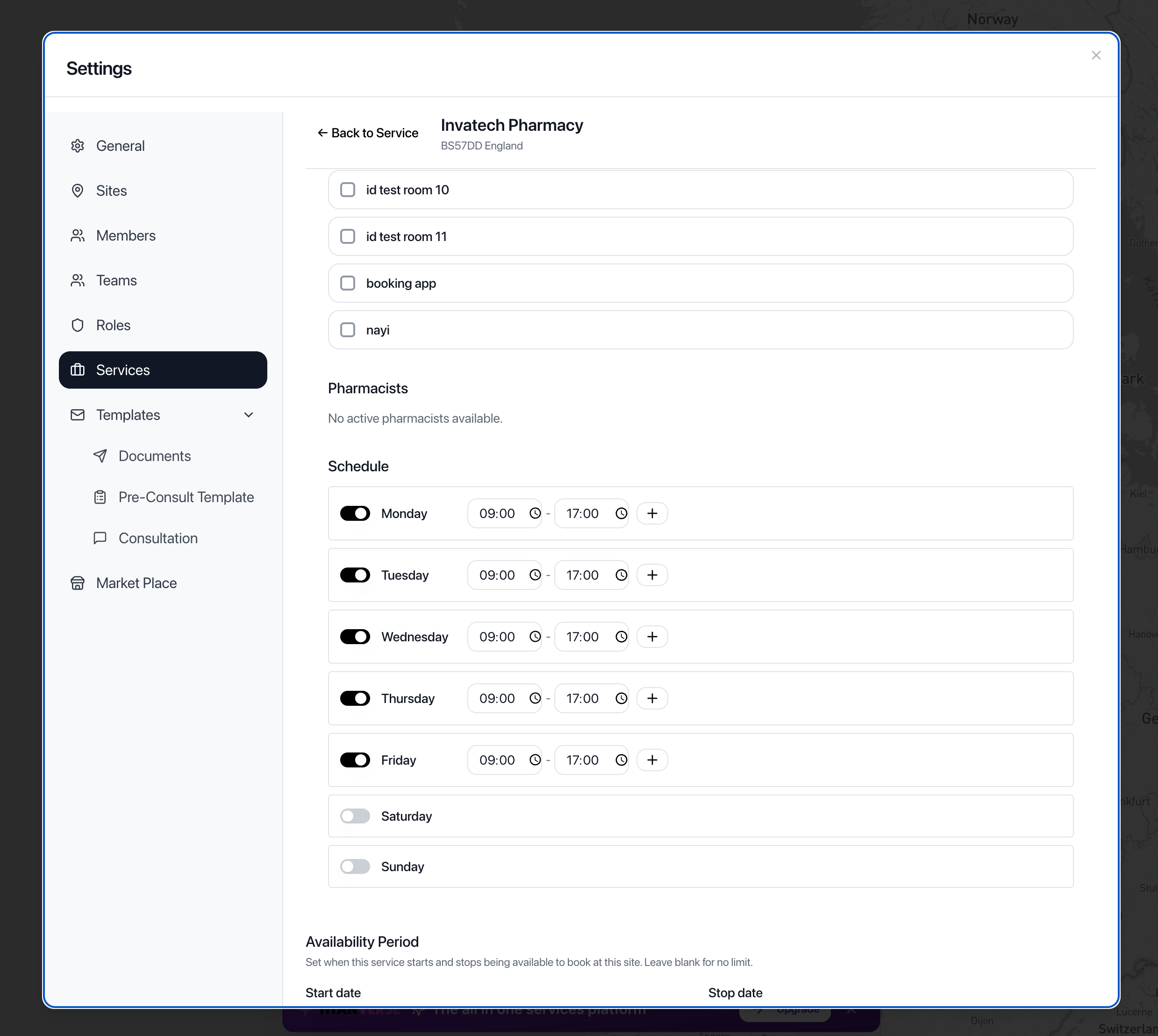
Available Hours configured for the service Configure Available Hours for every assigned pharmacist
Every pharmacist assigned to the service must have their own Available Hours. If a pharmacist has no availability, patients will not be able to book with them.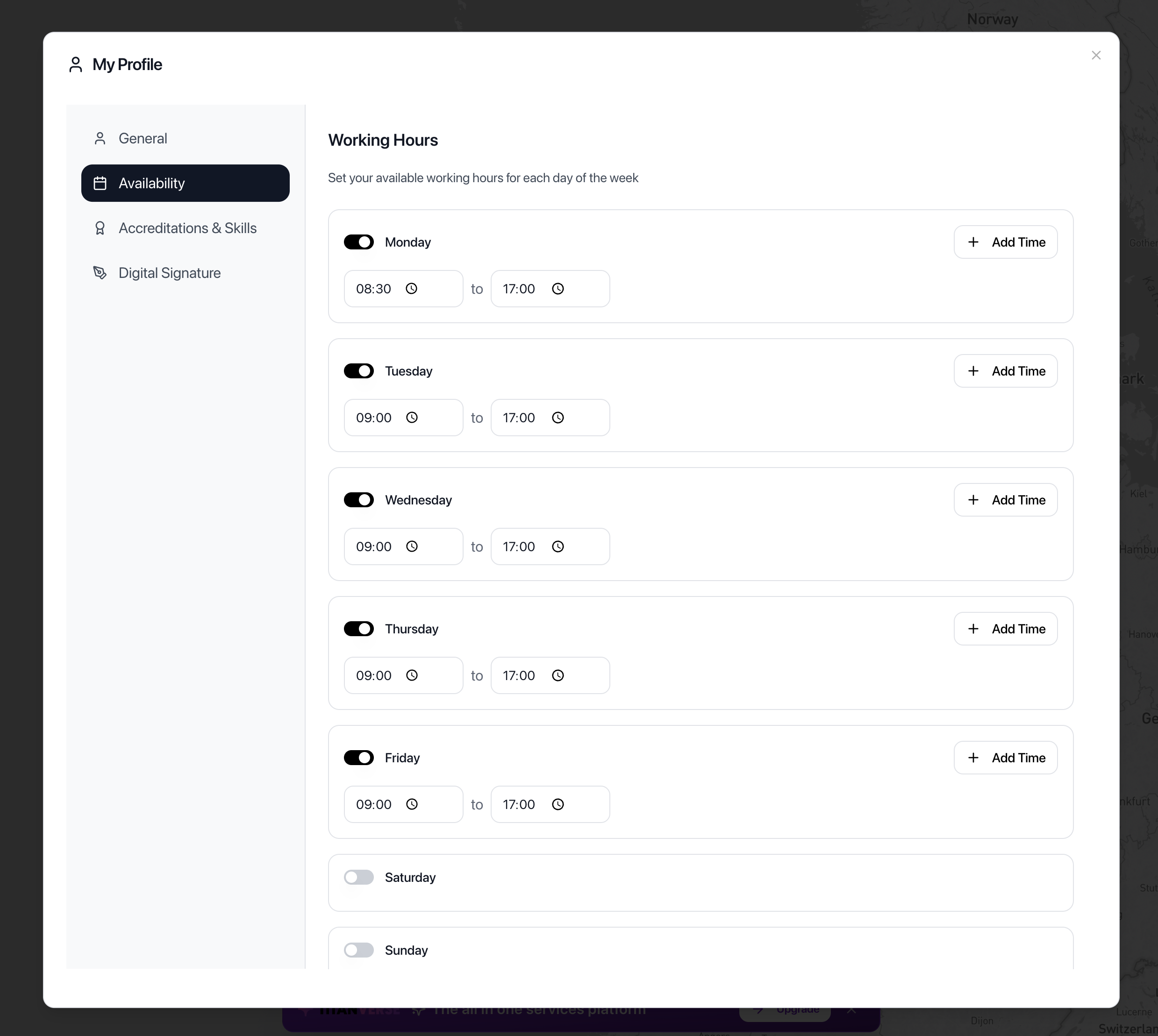
Available Hours configured for an assigned pharmacist
In summary
- Public Calendar enabled
- At least one pharmacy assigned
- At least one room assigned
- At least one pharmacist assigned
- Service Available Hours configured
- Available Hours configured for every assigned pharmacist
Without these settings, services may not appear correctly or patients may be unable to book through your PharmAppy website or app. These are required as part of the TITANVERSE setup.